Anime Dice Daily Rewards: The Full 7-Day Board, Frame-Read
Anime Dice Daily Rewards, frame-read twice: all seven tiles and counts, the HUD tile's two labels, how claiming works, and why it is not the daily quest board.
Perguntas frequentes
What is the Daily Rewards board in Anime Dice?
What does Day 1 of the Daily Rewards board give?
What is the Day 7 reward on the board?
Does the Anime Dice daily reward reset every 24 hours?
What happens if you miss a day of Daily Rewards?
Is Daily Rewards the same as the daily quests?
What Is the Daily Rewards Board in Anime Dice?
Daily Rewards is a seven-tile login board that pays you for opening the game once a day. The frame below is the current-build recording: seven day tiles, a green Reward Ready! line under the grid, and the top-right HUD tile sitting there with a Claim label and a white 1 badge. Everything on this page is read off frames, and the board facts are now confirmed twice — once in a recording uploaded 20 September 2026 and once in a recording uploaded 13 September 2026, seven days and one build apart.
Sources: the board pictures here come from two recordings, each read at native 1920×1080 and checked one frame at a time on 2026-10-04. Xou Blox’s FUI ATRÁS do GIRO IMPOSSÍVEL no ANIME DICE!! (22:06, uploaded 20 September 2026 — the UPD 5 window; the same session opens the Roblox page reading
[🎉UPD 5] Anime Diceat about 0:47) has no facecam and no desktop clutter, but it does carry the creator’s own burned-in cards and a corner watermark at other seconds — this round’s native re-check pins the cards at 28s, the 34.5–38s window, 40s, 44–50s, 52–56s and 58–64s, and a large greyXouwatermark in the top-right corner from about 2:12 to 2:18. None of the frames used on this page is taken from those seconds, and the one frame whose second overlaps the corner watermark was cropped to exclude it — the board itself never sits under the mark, and every frame was inspected at full resolution before publishing. The panel with its countdown, and the older wording of the HUD tile, come from RustScroll’s GOING NOOB 2 SECRET IN ROBLOX ANIME DICE (PART 1) (50:30, uploaded 13 September 2026 — the UPD 4 window), whose frames were first read for this page’s earlier version and were re-read for this refresh. TheDailyHUD reading photographed in a third session comes from Cx’s I Went Noob To PRO in Anime Dice Roblox (uploaded 18 September 2026 — also the UPD 4 window). No picture on this page is from the UPD 6 build (29 September). The developer publishes no reward table, and no creator in our footage explains the panel.

Xou Blox's UPD 5 session — the Daily Rewards board opens for about a second at 2:18, and the claim lands much later at 4:51
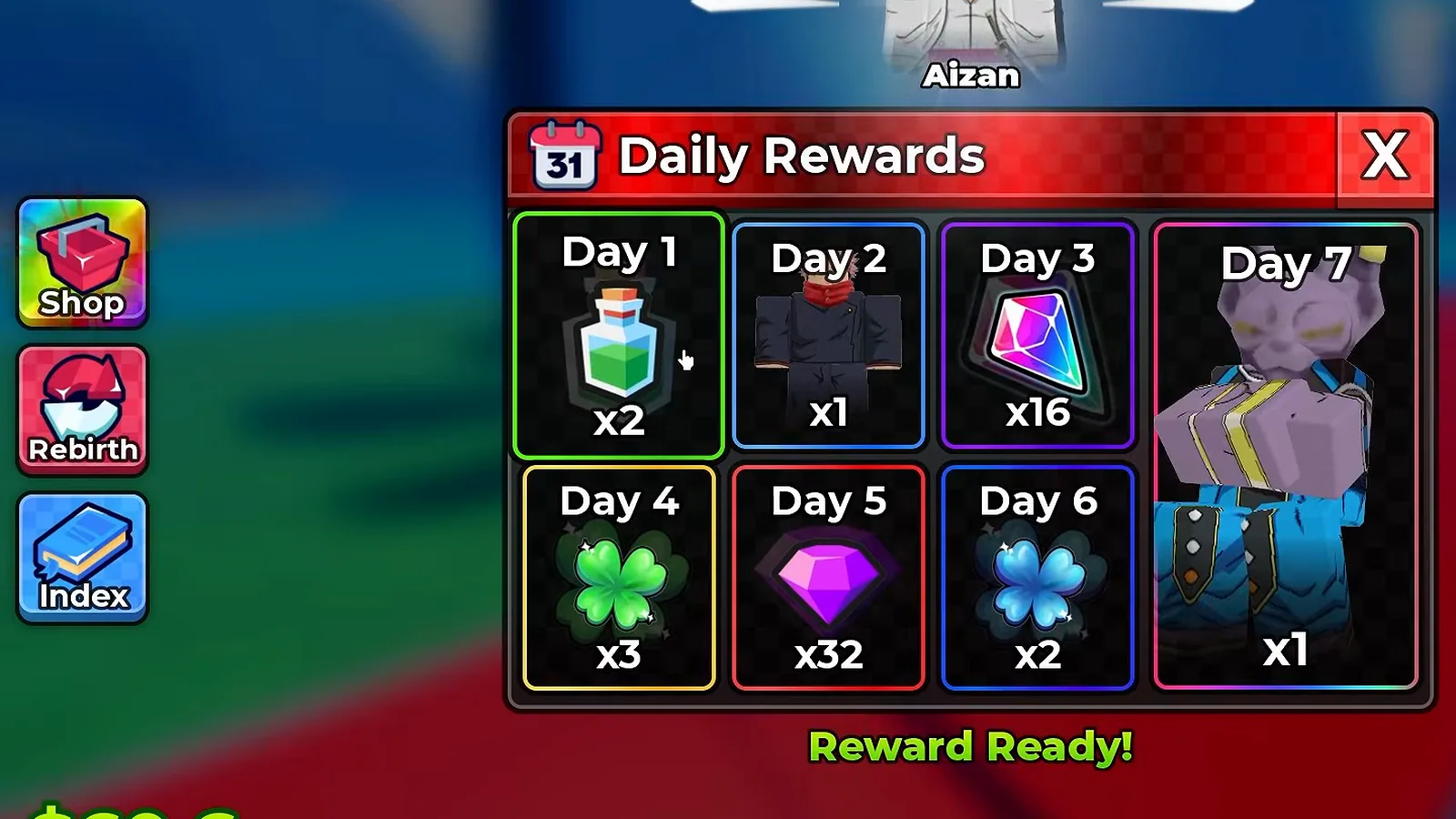
Seven tiles, one green line of text, and a fully legible title bar: this is the board as the newer recording catches it.
The panel labels itself in the header: a red bar reading Daily Rewards over a faint checker pattern, beside a calendar icon carrying a small 31 badge. The grid splits into a top row of Day 1, Day 2, Day 3, a bottom row of Day 4, Day 5, Day 6, and one tall tile spanning both rows on the right: Day 7. Under the grid sits the green line Reward Ready!. Each tile carries its own outline colour — green around the claimable Day 1, blue around Day 2 and Day 6, purple around Day 3, yellow around Day 4, red around Day 5, and a border on Day 7 that fades through several colours — and nothing on screen explains the colours.
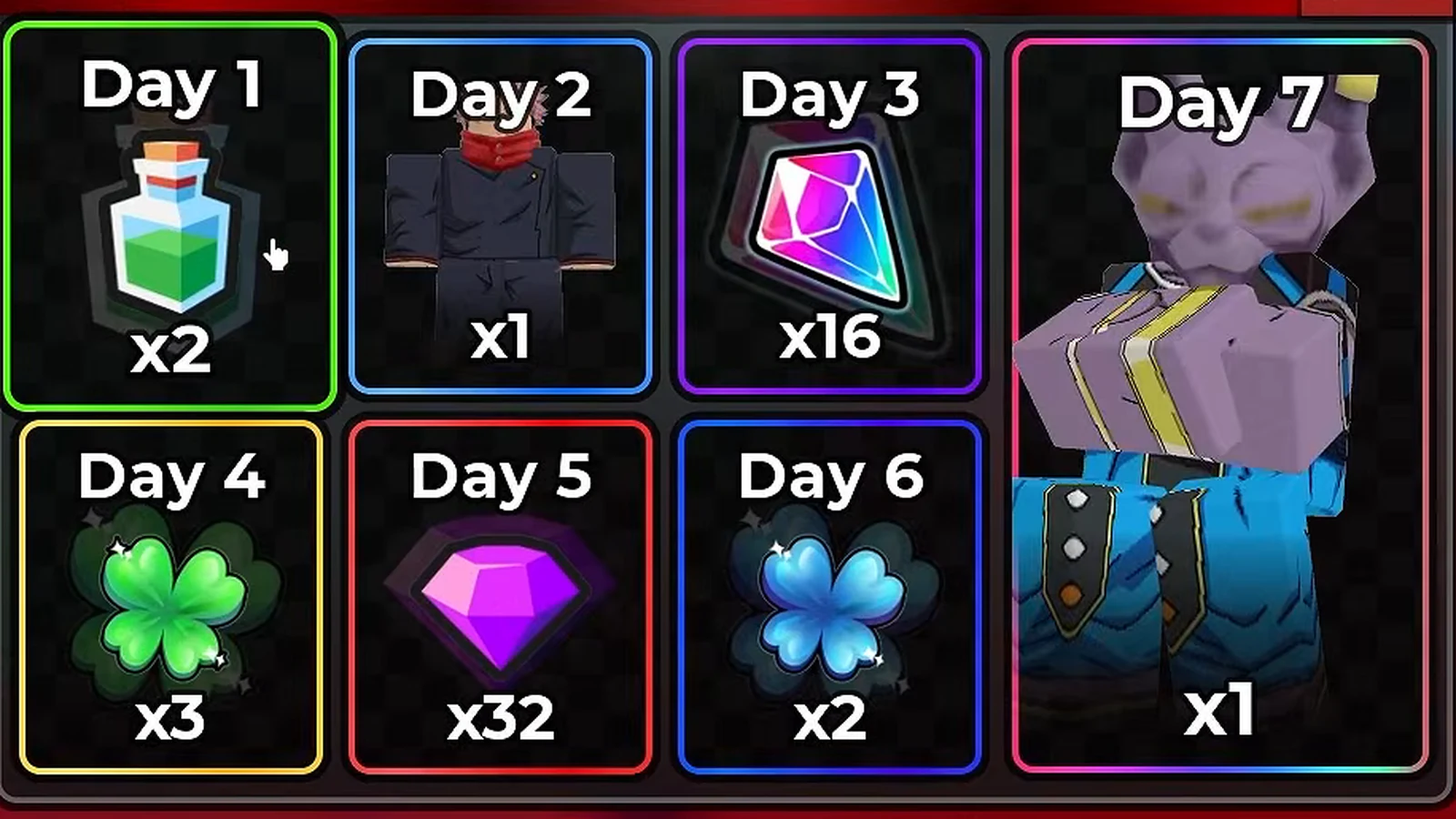
The grid at native resolution: the counts are what the tiles print, and the outlines are the only other thing they carry.
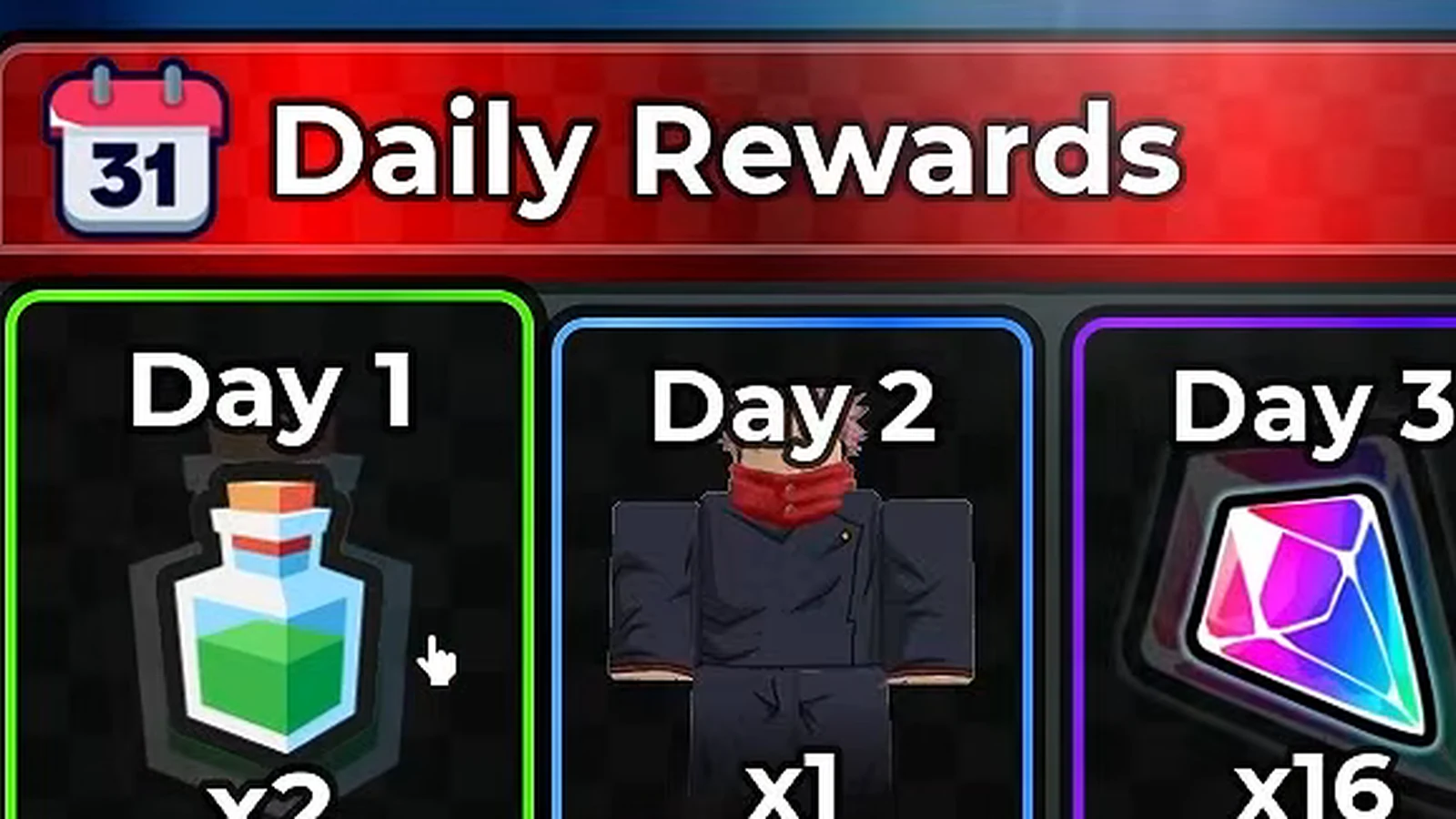
Read off the newer recording, where the title bar is unobstructed: Daily Rewards, and a calendar icon wearing a 31 badge.
What Does Each Day of the Board Pay?
Seven tiles, seven counts — and exactly one item name the screen ever prints. The table below is every tile as the frames show it in both recordings: each icon carries a printed count but no name, so every row except Day 1 is an icon description. Day 1 earns its name from the claim toast, not from the board.
| Tile | What the frames show | Count printed | Seen in |
|---|---|---|---|
| Day 1 | a green potion flask — named by the claim toast as Luck III | x2 | both recordings |
| Day 2 | a dark-clad figure with a red scarf at its neck | x1 | both recordings |
| Day 3 | a faceted pink-to-cyan crystal | x16 | both recordings |
| Day 4 | a green four-leaf clover | x3 | both recordings |
| Day 5 | a purple gem | x32 | both recordings |
| Day 6 | a blue four-leaf clover | x2 | both recordings |
| Day 7 | a large grey figure with yellow straps, on the tall tile spanning both rows | x1 | both recordings |
That “seen in” column is the point of this refresh. The earlier version of this page was built on one recording; the 20 September recording, made in the UPD 5 window, shows the same seven tiles with the same seven counts, so the grid is no longer a single-session reading. Here is the second recording’s own frame of the same board, with the older HUD wording still on screen:
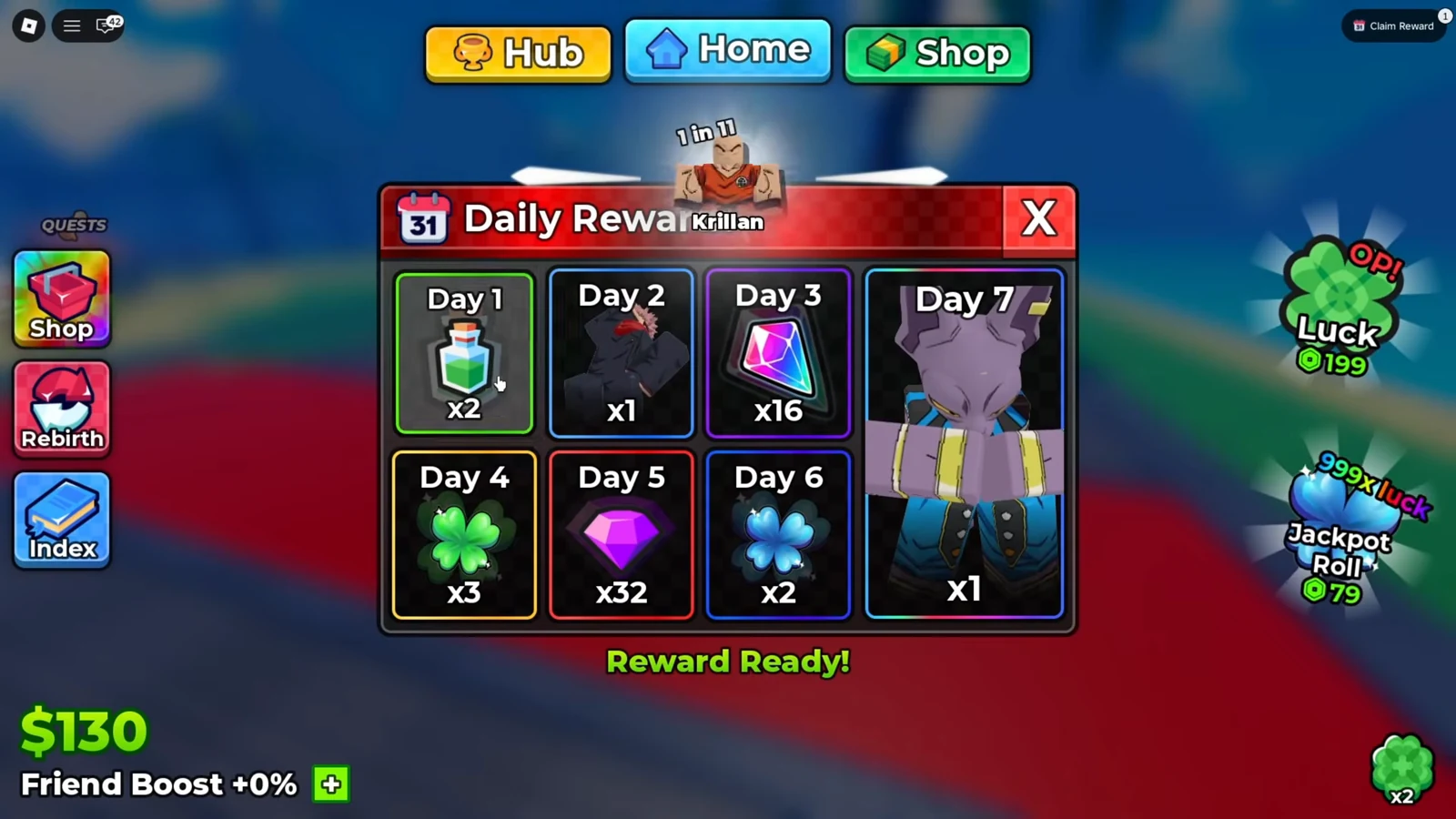
Seven days earlier and one build older: same grid, same counts, same green line — but the HUD tile in the corner words itself differently.
Watch the older recording show the same board at 2:06
One honest note before you screenshot this table anywhere: only the Day 1 cell is confirmed by on-screen text, and that confirmation now comes from two sessions. The toast that prints +2 Luck III at the claim is the board’s only act of naming — no tile shows a tooltip in our frames, and the board prints no item names of its own. The other six rows are shapes and counts, read honestly and invented nowhere. Nothing on the board says whether Day 2’s dark figure, Day 3’s crystal or Day 5’s gem are the same items the tower drop lists show; “looks like” is where this table stops.
How Does Claiming a Daily Reward Work?
Two signals say a reward is waiting: the green Reward Ready! line under the grid, and the top-right HUD tile carrying a badge. The newer recording catches the claim itself, out in the world with the panel already closed:
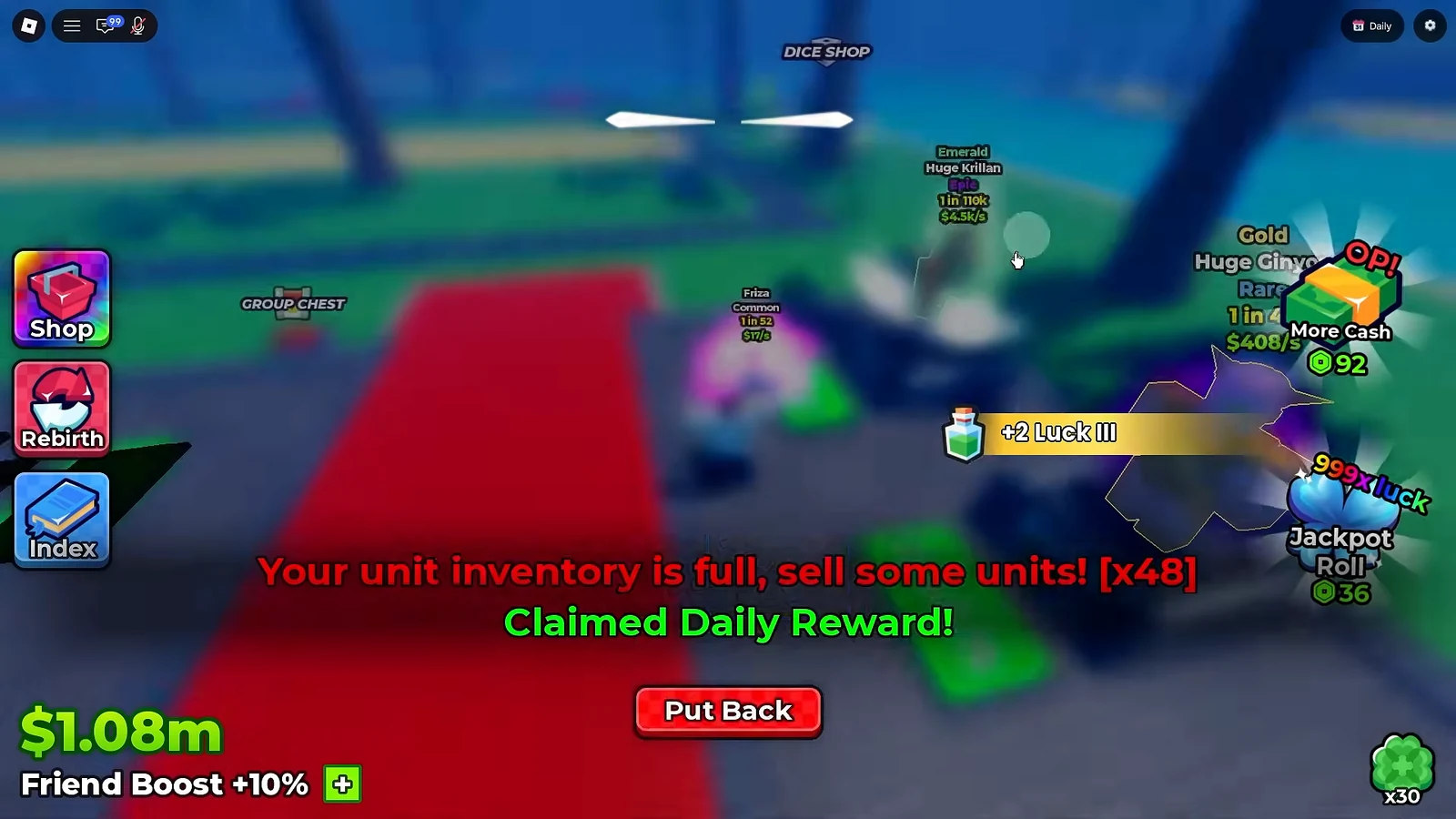
The receipt for a claim is two lines of text: Claimed Daily Reward! in green, and the yellow +2 Luck III toast that finally names the two flasks.
The older recording holds the panel open through its own claim, and it is the only place the board’s reset figure appears:
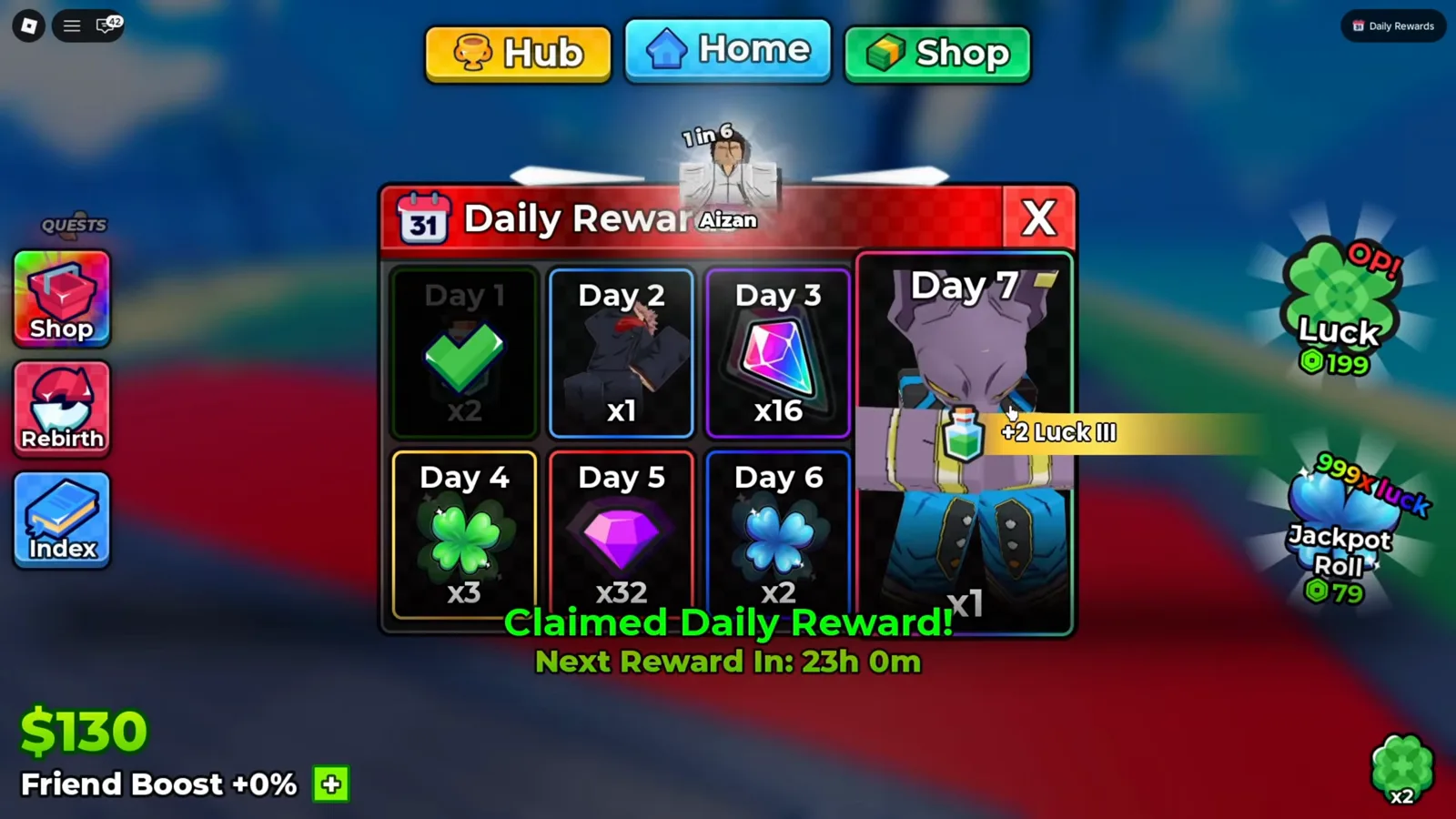
The one moment the screen names a tile’s contents and the one moment it prints a reset figure — same frame, same recording.
Four details fall out of those two frames, and we will keep each one at its own size:
- The claim replaces the tile, not the board. Day 1 dims under a large green checkmark; the other six tiles stay exactly as they were, counts and all. You can keep reading the board after claiming — nothing closes or resets on screen.
- The countdown is still one observation.
Next Reward In: 23h 0mappears in one recording, on one account, on one patch. The newer recording confirms the claim’s two text lines —Claimed Daily Reward!and+2 Luck III— but the panel is already closed when it does, so it prints no countdown at all. Whether the board runs on a fixed 24-hour cycle is written nowhere, so we do not call it a 24-hour system. - The toast is the whole name service.
+2 Luck IIIwith a small green flask beside it is the screen identifying Day 1’s two flasks, and it now prints in two separate sessions, one build apart. No equivalent toast appears for any other tile in the footage. - The HUD tile changes sides of the moment. Before the claim it carries a label and a badge; after it, the same tile is relabelled and the badge is gone. The next section prints the exact wording, because the two recordings disagree on it.
What Do the Top-Right HUD Tiles Say Before and After a Claim?
The board has no stall and no map marker — its only anchor outside the panel is one tile in the top-right corner of the HUD, beside the settings gear. Our frames catch it in two states, and in each state the two recordings word it differently, so all four readings are printed here side by side:
| As printed | Where it was read | What the state means |
|---|---|---|
Claim + a white 1 badge | 20 September recording (UPD 5 window), at 2:12 and 2:18 | a reward is waiting to be taken |
Claim Reward + a white 1 badge | 13 September recording (UPD 4 window), at 2:04–2:06 | a reward is waiting to be taken |
Daily, no badge | 20 September recording at 4:51 and 4:54, and the 18 September session at 9:04 | nothing left to claim |
Daily Rewards, no badge | 13 September recording at 2:07 | nothing left to claim |
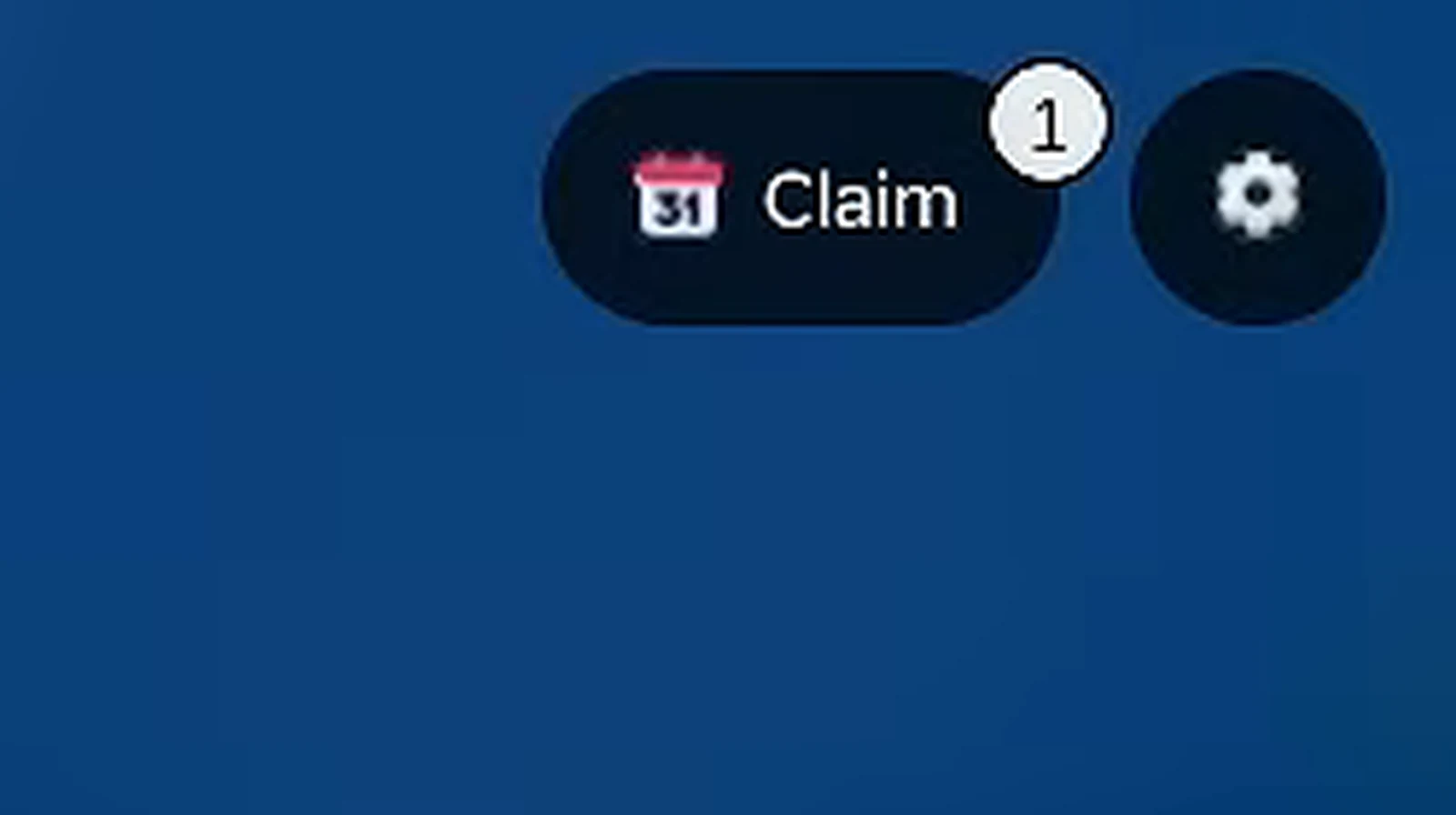
The badge is a white circle carrying the numeral 1, not a coloured dot — an earlier version of this page described it as a red dot, and the native pixels do not support that.
Watch the waiting tile at 2:12
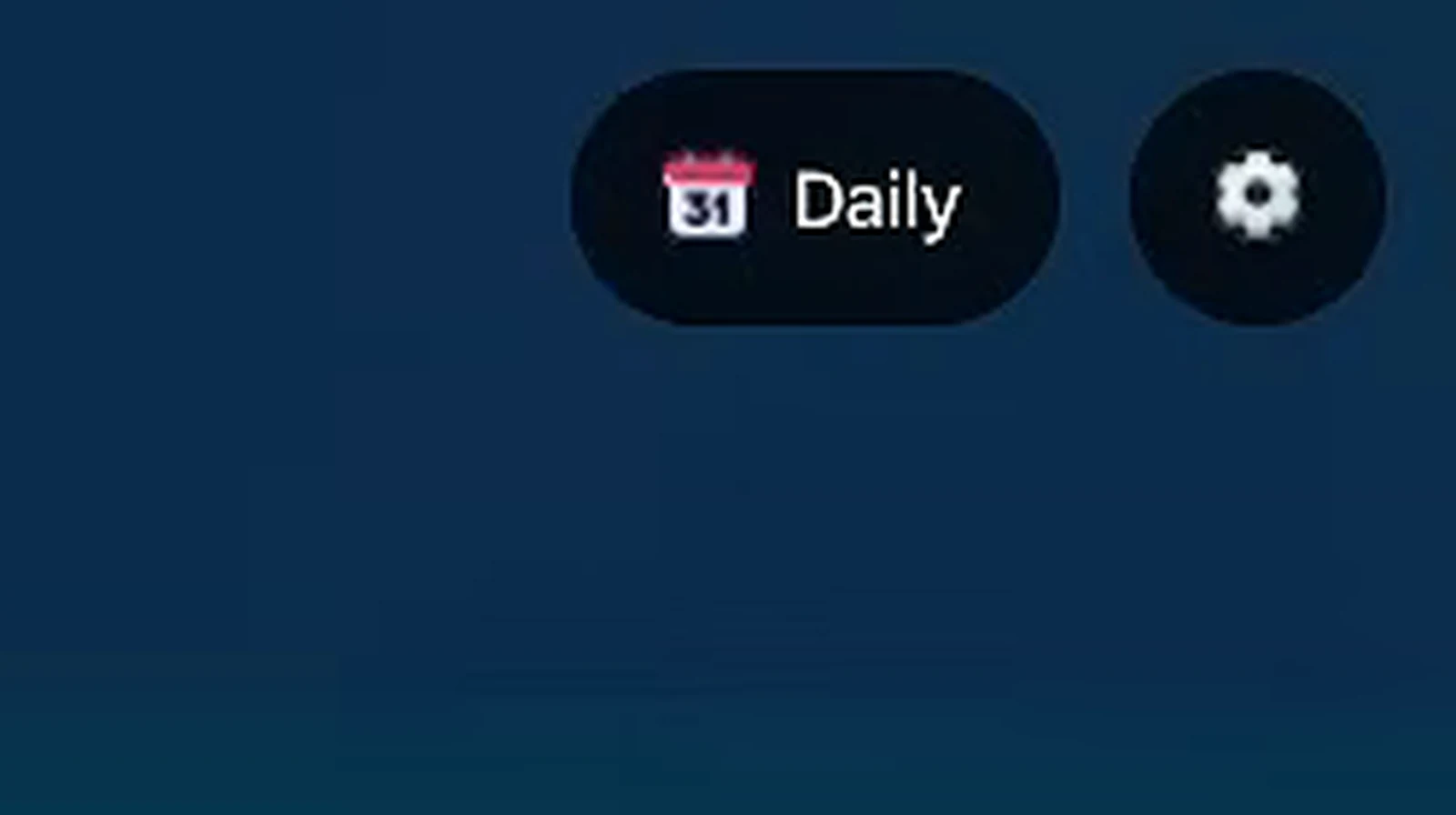
Same session, same corner, after the claim: Daily, and the badge has disappeared.
Watch the claimed tile at 4:54

An 18 September session shows the same single word with no badge — the state is not unique to the recording it was first seen in.
What the table does not settle is why the wording moved. The two waiting labels differ between an upload from 13 September and uploads from 18–20 September, and the two claimed labels differ the same way. Whether that is a rename in a build between those dates or something else about those sessions cannot be determined: no patch notes exist, no screen states a version, and one 18 September session cannot tell us whether its Daily was read before or after that account’s own claim. We print both readings and pick neither.
Is This the Same Board as the Daily Quests?
No — they are two systems that share the word daily and nothing else. The Daily Rewards board pays you for showing up: no task, no progress bar, one tile’s items for opening the game. The quests board pays Tickets for completing goals like Roll 1,000 times!, and those Tickets are tower currency, not items.
Telling them apart on screen is easy once you know the addresses. The quest board lives at a QUESTS stall in the hub — a physical place with Daily, Weekly and Shop tabs, a refresh countdown in its header and a Claim button per row, all read frame by frame in our quests and tickets guide. The login board has no stall: its only on-screen anchor is the top-right HUD tile, and its rows are days, not goals. One system sells your effort, the other pays for your attendance — and the Tickets from the first never appear on the second.
Where Do the Daily Rewards Fit an Account’s Income?
The board is the closest thing to free income the screens show. Tower runs pay in chance — the drop bands on a tower panel — and quests pay Tickets for work, but the board hands Day 1’s two potions to an account that has done nothing but exist: in both recordings the panel is on screen within minutes of the session starting.
That Day 1 toast is also the board’s bridge to the rest of this site. Luck III is the same effect family the Backpack tooltips print — our potions guide reads those tooltips line by line, and it is where we first called the board’s Day 1 the only guaranteed potion faucet we found. Day 5’s thirty-two purple gems are the currency our gems guide tracks, and Day 7’s unit — nameless on screen — is the kind of pull the game otherwise charges rolls for, priced by the odds printed on the unit index and explained in our roll odds guide. What the board is not, on current evidence, is an engine: one claim, one countdown, and nothing on screen about streaks or catch-ups. If you are mapping where an account’s power actually accumulates, the money guide covers what the game pays and how the suffixes stack, the offline earnings guide covers the income that keeps arriving while you are away, and the beginner guide shows where a free daily claim sits in the first hour.
What Could Not Be Determined From These Frames?
Everything below is a real gap, not an oversight:
- The reset cycle. One countdown,
23h 0m, in one recording. The other recording’s claim shows the banner and the toast but no panel, so it cannot corroborate the figure. - What day 8 does. The board ends at Day 7 in every frame; whether it loops, locks or resets is on no screen we have.
- What a missed day costs. No streak, penalty or catch-up state appears in any frame.
- The
31badge’s meaning. Printed on the calendar icon in the header and the HUD; never explained. - What each tile’s contents actually are. Only Day 1 is named by a toast. Day 2’s dark figure, Day 3’s crystal, Day 5’s gem and the two clovers are shapes and counts, and no tooltip opens over any of them in our frames.
- Why the HUD wording differs between builds.
Claim/Dailyin the 18–20 September uploads againstClaim Reward/Daily Rewardsin the 13 September one. Two readings, no stated cause. - Whether the board auto-opens. Both recordings find it open with no click visible; what surfaces it — a join, a HUD press, something else — is not in any frame.
- What the Drop / quest boards do with the same items. Whether Day 3’s crystal or Day 5’s gem are the items tower lists show is not asserted here; that connection is not printed anywhere on screen.
- Anything about a newer build. Every frame was made between 13 and 20 September 2026, before UPD 6 (29 September). If the panel changed since, this page does not know.
If your client shows the HUD tile being pressed, the panel with a second claim, or a day-8 state, a dated screenshot through the contact page settles it and gets credited here.
What Should You Read Next?
- Update history — which build each recording on this page falls in, dated against the game’s own title tag
- Update 5 guide — everything the newer recording’s patch added, verified on screen
- Potions guide — the Luck III family Day 1 pays, read off the tooltips
- Quests and tickets guide — the other daily board, the one that pays Tickets
- Money guide — where the cash suffixes and the income sources this board does not print are catalogued
- Roll odds guide — what a
1 in ...figure means and what luck does to it - Gems guide — the currency Day 5 pays thirty-two of
- Offline earnings guide — the income that arrives without you playing
- Beginner guide — where a free daily claim fits in the first hour
Artigos relacionados
guides
Anime Dice Update 7: Rebirth Upgrade Points, Third Base Floor and New Dice
Anime Dice UPD 7 read off frames: the developer's own patch notes, the 6-path Rebirth Stats panel, and a purchase confirmation. Checked 7 October 2026.
guides
Anime Dice Money: Where Cash Comes From, Read Frame by Frame
Anime Dice money read frame by frame: the cash counter's k-to-oc suffix ladder, the $/s income every unit card prints, and the breakdown no screen ever shows.
guides
Anime Dice Probability and Roll Odds: The 1 in N Screens
Anime Dice prints unit odds as 1 in N and trait odds as percentages, never as one drop table. Frame-by-frame readings plus the arithmetic the game leaves out.
Isso foi útil?
Obrigado pelo feedback!